BY Car

Trải nghiệm Android trên xe, đơn giản và tiện lợi

Một launcher Android đơn giản, mạnh mẽ và tối ưu cho màn hình ô tô.
▣
Chia màn hìnhSplit Screen
▦
5 nhóm ứng dụng5 App Groups
⚙
Tự động mởAuto Launch
◉
Tùy biến giao diệnCustomizable
▰
Tối ưu cho xe hơiCar Friendly
Phiên bản / Version: 4.1  |  Cập nhật / Updated: 24/09/2026
Android 13+  |  Dành cho Android Box / Car Screen
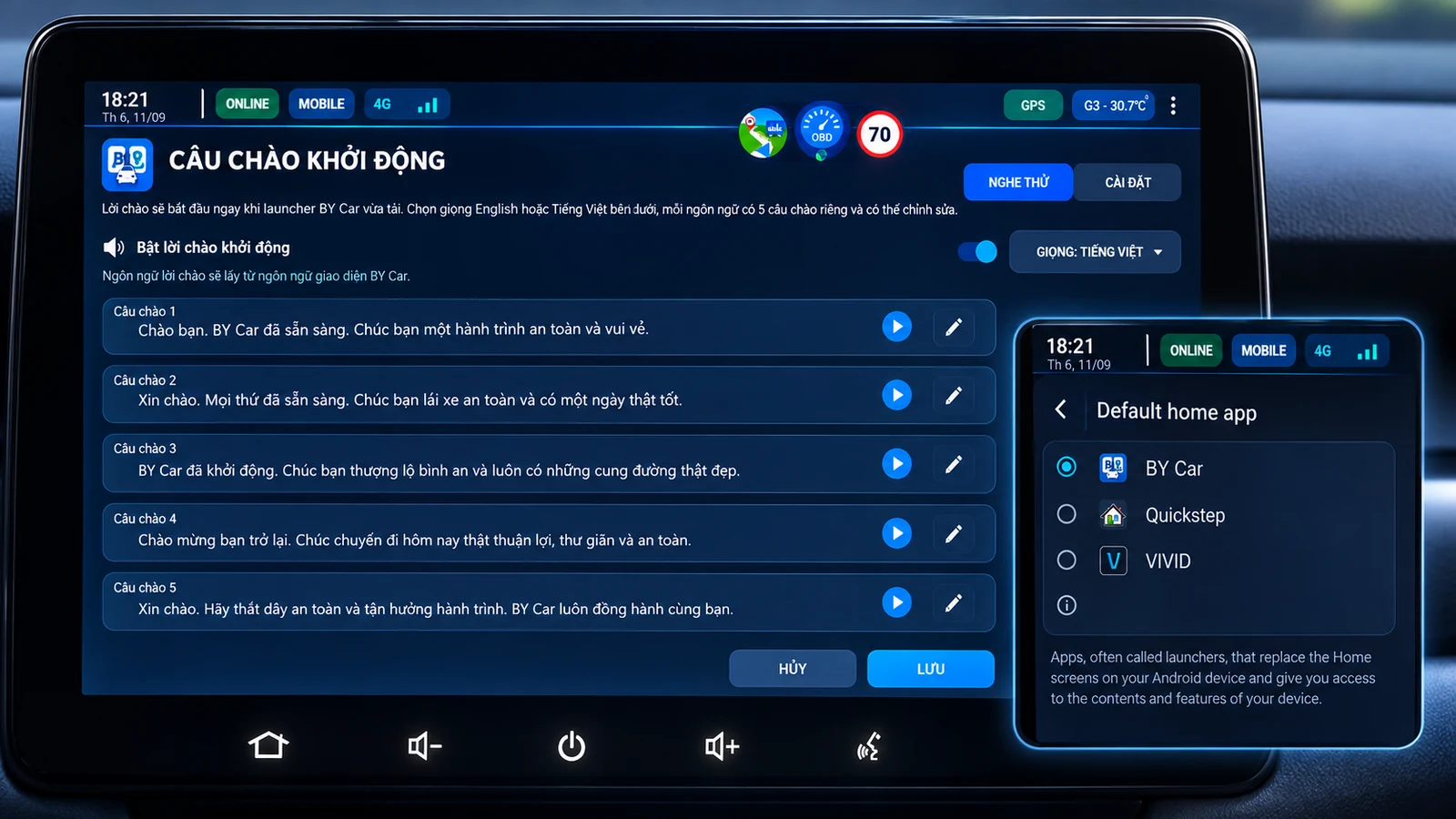
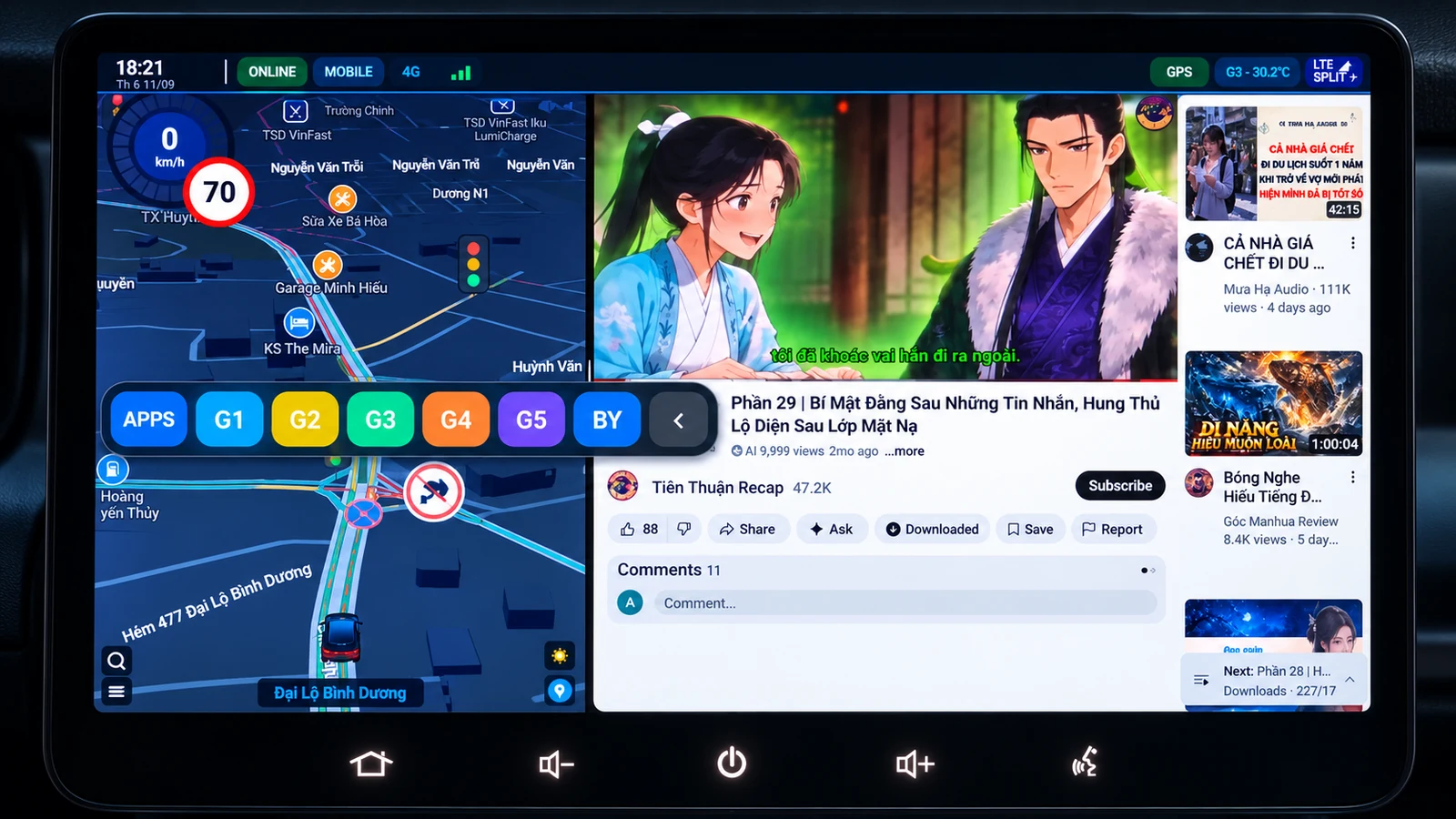
BY Car running in split screen
✈
Group Telegram hỗ trợ / trao đổi Telegram Support / Community Group Trao đổi cách dùng, chia sẻ model Android Box, báo lỗi split-screen và góp ý cho BY Car. Ask for help, share Android Box models, report split-screen issues, and send feedback for BY Car.
Mở Telegram Open Telegram
✓ Cấu hình một lần · Dùng hằng ngày ✓ One-time setup · Ready for daily use

Hướng dẫn cho người mới bắt đầu Getting Started

Chỉ cần hoàn tất các bước dưới đây trong lần đầu. Sau đó, bạn chủ yếu chỉ cần dùng G1–G5 để mở nhanh các cặp ứng dụng đã lưu.

Complete these steps once during the initial setup. After that, you can mainly use G1–G5 to quickly launch your saved app pairs.

1

Cài BY Car Install BY Car

Tải file APK từ trang này và cài BY Car vào Android Box / màn hình Android trên xe.

Download the APK from this page and install BY Car on your Android Box or in-car Android screen.

2

Chọn BY Car làm Launcher Set BY Car as the Launcher

Mở BY Car → bấm HOME → chọn BY Car làm launcher mặc định.

Open BY Car → tap HOME → select BY Car as the default launcher.

3

Cho phép Restricted Settings Allow Restricted Settings

Nếu Android 13+ chặn quyền: Cài đặt → Ứng dụng → BY Car → ⋮ → Allow restricted settings. Chỉ cần làm khi thiết bị yêu cầu.

If Android 13+ blocks the permission: Settings → Apps → BY Car → ⋮ → Allow restricted settings. Only do this when your device requires it.

4

Bật SPLIT ASSIST Enable SPLIT ASSIST

Trên BY Car, bấm SPLIT ASSIST → vào Trợ năng / Accessibility → bật BY Car / Split Assist.

In BY Car, tap SPLIT ASSIST → open Accessibility → enable BY Car / Split Assist.

Quan trọng: nếu chưa bật Split Assist, thiết bị có thể vẫn chia màn hình nhưng thường chỉ ở 50:50. Muốn dùng đúng các tỷ lệ 30:70, 40:60, 50:50, 60:40, 70:30 thì cần bật Split Assist. BY Car 3.9 tự nhận màn ngang để chia Trái : Phải và màn dọc để chia Trên : Dưới.
Important: without Split Assist, your device may still enter split-screen but often stays at the default 50:50 ratio. Enable Split Assist to use 30:70, 40:60, 50:50, 60:40, and 70:30 correctly. BY Car 3.9 automatically uses Left : Right in landscape and Top : Bottom in portrait.
5

Bật thanh nút nổi nếu cần Enable the Floating Bar if needed

Bật Nút nổi / Floating trên BY Car → bấm OVERLAY → cho phép Hiển thị trên ứng dụng khác / Display over other apps.

Enable Floating in BY Car → tap OVERLAY → allow Display over other apps.

6

Cấu hình G1–G5 Configure G1–G5

Vào từng nhóm G1–G5, chọn app trái + app phải và tỷ lệ chia mong muốn. Sau đó chỉ cần bấm G1–G5 để sử dụng.

Open each G1–G5 group, select the left app, right app, and your preferred split ratio. After setup, simply tap G1–G5 to use it.
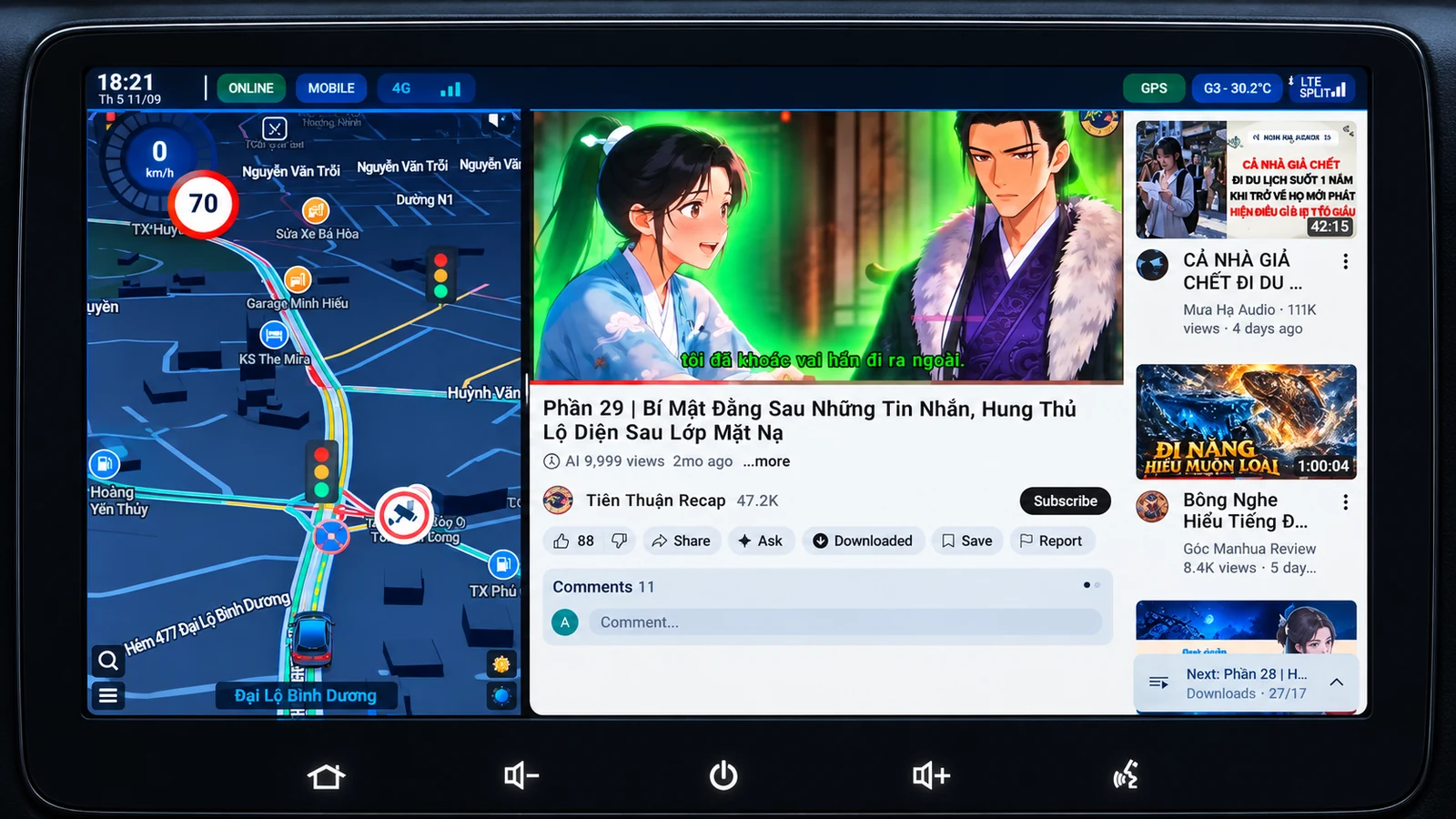
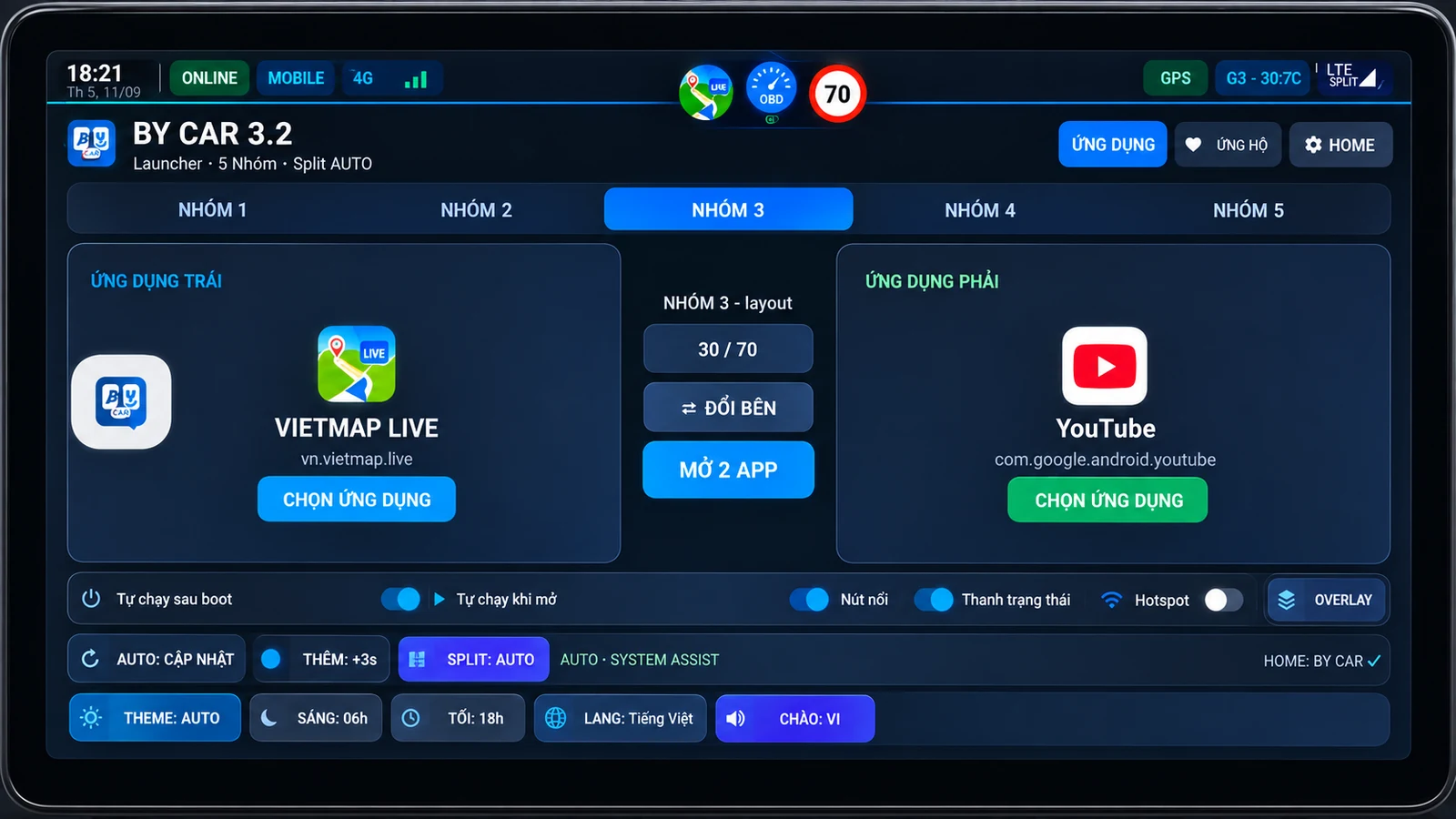
Sau khi cấu hình xong Bấm G1–G5 để mở nhanh cặp ứng dụng. Nếu split bị kẹt hoặc chỉ mở một app, nhấn giữ G1–G5 để chạy Repair Split. Có thể bật Tự chạy khi khởi động/mở launcher nếu muốn tự mở nhóm quen dùng.
After the initial setup Tap G1–G5 to quickly launch an app pair. If split-screen gets stuck or only one app opens, long-press G1–G5 to run Repair Split. You can also enable Auto launch at boot / when the launcher opens for your preferred group.
⬇ Tải BY Car ⬇ Download BY Car
⚙

Tính năng chính / Key Features

▣
Chia màn hình tự độngAuto split screen

Mở 2 ứng dụng side-by-side chỉ với 1 chạm

▦
5 nhóm ứng dụng5 app groups

Lưu và chuyển đổi nhanh nhiều cặp ứng dụng

⚙
Tự động khởi độngAuto launch

Tự chạy sau khi khởi động thiết bị

◉
Tùy chỉnh giao diệnCustomizable

Chủ đề, thời gian, bố cục, thanh trạng thái...

▰
Tối ưu cho xe hơiCar friendly

Giao diện đơn giản, dễ thao tác khi lái xe
▮▮

Hướng dẫn nhanh / Quick Guide

1
Cài đặt ứng dụngTải file APK và cài đặt vào Android Box
2
Cho phép Restricted SettingsApp info → ⋮ → Allow restricted settings
3
Bật Split AssistAccessibility → Downloaded apps → BY Car → bật dịch vụ
4
Chọn ứng dụngChọn 2 ứng dụng cho từng nhóm G1–G5
5
Sử dụngQuay về màn hình chính và trải nghiệm
⬇

Tải về / Download

BY Car
BY Car 4.1 Launcher
APK File versionCode: 58 Android 13+ Updated: 24/09/2026 ⬇ 65 lượt tải
⬇ Tải APK Download BY Car
BY Drive
BY Drive 1.4.4 Driving Tool
APK File versionCode: 19 Android 8+ Updated: 24/09/2026
⬇ Tải APK Download BY Drive
BY Drive dashboard with speed, compass, trip statistics, GPS information and music controls
🚗 BY Drive · App độc lập BY Drive · Standalone app

BY Drive — bắt đầu trong vài bước BY Drive — get started in a few steps

BY Drive chạy độc lập, không cần BY Car. Cấp quyền một lần để theo dõi chuyến đi và điều khiển ứng dụng nhạc đang dùng.

BY Drive works independently and does not require BY Car. Grant access once to track driving data and control your active music app.

1
Cho phép Location / GPSAllow Location / GPSTốc độ, quãng đường, hướng, độ cao và dữ liệu chuyến đi.Speed, distance, heading, altitude, and trip data.
2
Bật Music AccessEnable Music AccessHiển thị bài đang phát và điều khiển Previous / Play / Pause / Next.Show the current track and control Previous / Play / Pause / Next.
3
Chọn app nhạcChoose your music appĐể Auto hoặc chọn Spotify, YouTube Music, Poweramp… BY Drive sẽ ghi nhớ.Use Auto or choose Spotify, YouTube Music, Poweramp… BY Drive remembers it.
4
Ghép với bản đồ nếu muốnPair with navigation if desiredTrong BY Car có thể ghép VietMap / Maps / Waze + BY Drive chỉ với một group.In BY Car, pair VietMap / Maps / Waze + BY Drive in a single group.
Gợi ý: Bản đồ 70% · BY Drive 30%Tip: Navigation 70% · BY Drive 30% ↓ Tải BY Drive↓ Download BY Drive

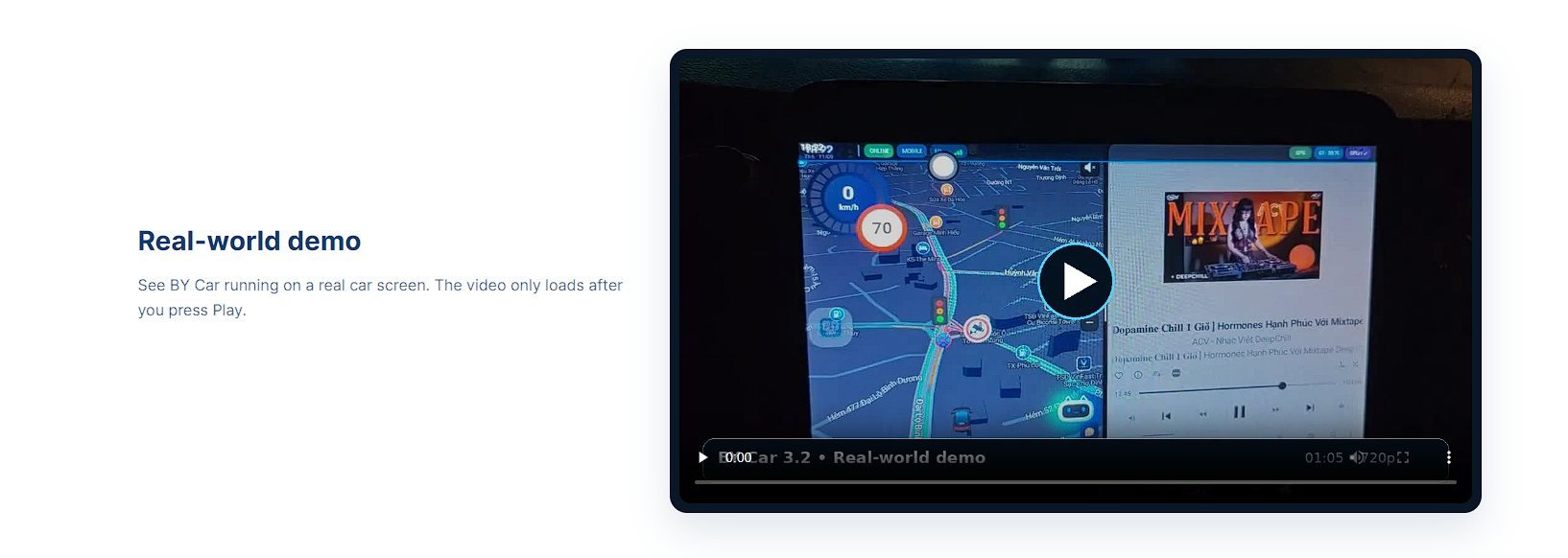
Demo BY Car BY Car real-world demo

BY Car chạy thực tế trên màn hình xe.

BY Car running on a real car screen.

Demo BY Drive BY Drive real-world demo

BY Drive chạy thực tế trên màn hình xe.

BY Drive running on a real car screen.

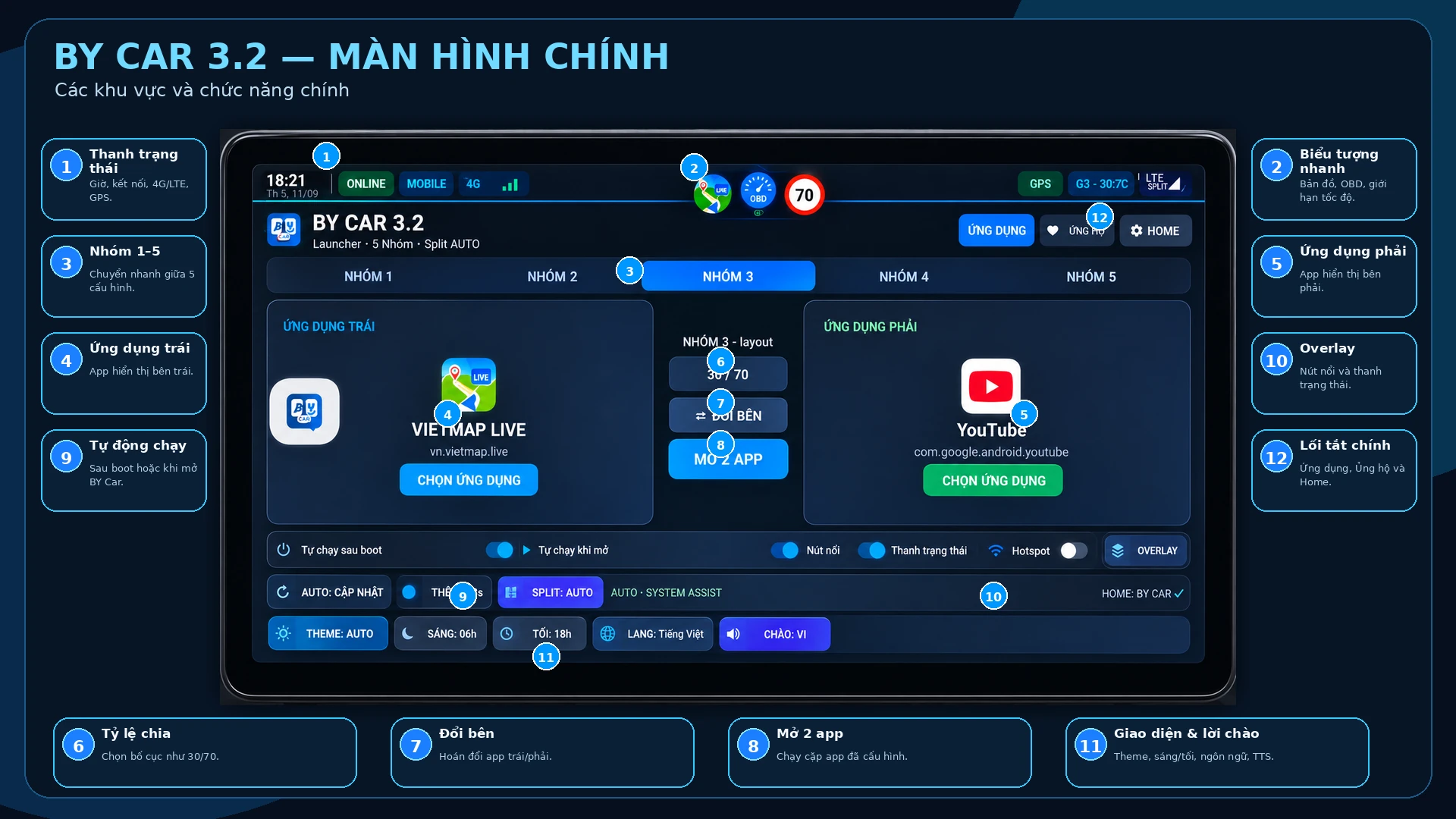
Giải thích màn hình chính

Sơ đồ các khu vực và chức năng chính của BY Car.

BY Car feature guide

Câu hỏi thường gặp

Thảo luận & Hỗ trợ

Chia sẻ model Android Box, firmware, lỗi split-screen hoặc góp ý tính năng.
Mở trang thảo luận